

DNS Record Types Explained
What is DNS
DNS stands for “Domain name System“ it is an automatic process that conrets that domain name to it’s corrosponding IP address (Number) so that web browser can understand which web page you want to access on the internet
Why DNS Records are needed
DNS Records are what tell you whare to go for example : you own a hotal and have a website. so DNS records decide which department you need to access ,if you wnat to access reception , the DNS record will take you to reception it’s shouldn’t happen that you access reception and are taken to the HR department because that would be wrong, That’s why we use DNS records, so that every request goes to the right place That’s why we need DNS
What An NS Record is(Who is Responsible for a domain)
The NS Record indicates which DNS server a user queries for a domain. it also indicates which DNS Server is responsible for the domain .
for Example :
if my domain is devesh.com it’s NS record would be
ns1.hosting.com
ns2.hosting.com
This means that all information about devesh.com will be found on these server .
In a real-life example: imagine a company with a fixed reception desk , Now when a visitor arrives , they ask the guard where they can get their information
The guard tells them: Go to reception Similarly the NS record tells the internet get information for this domain from these Server.
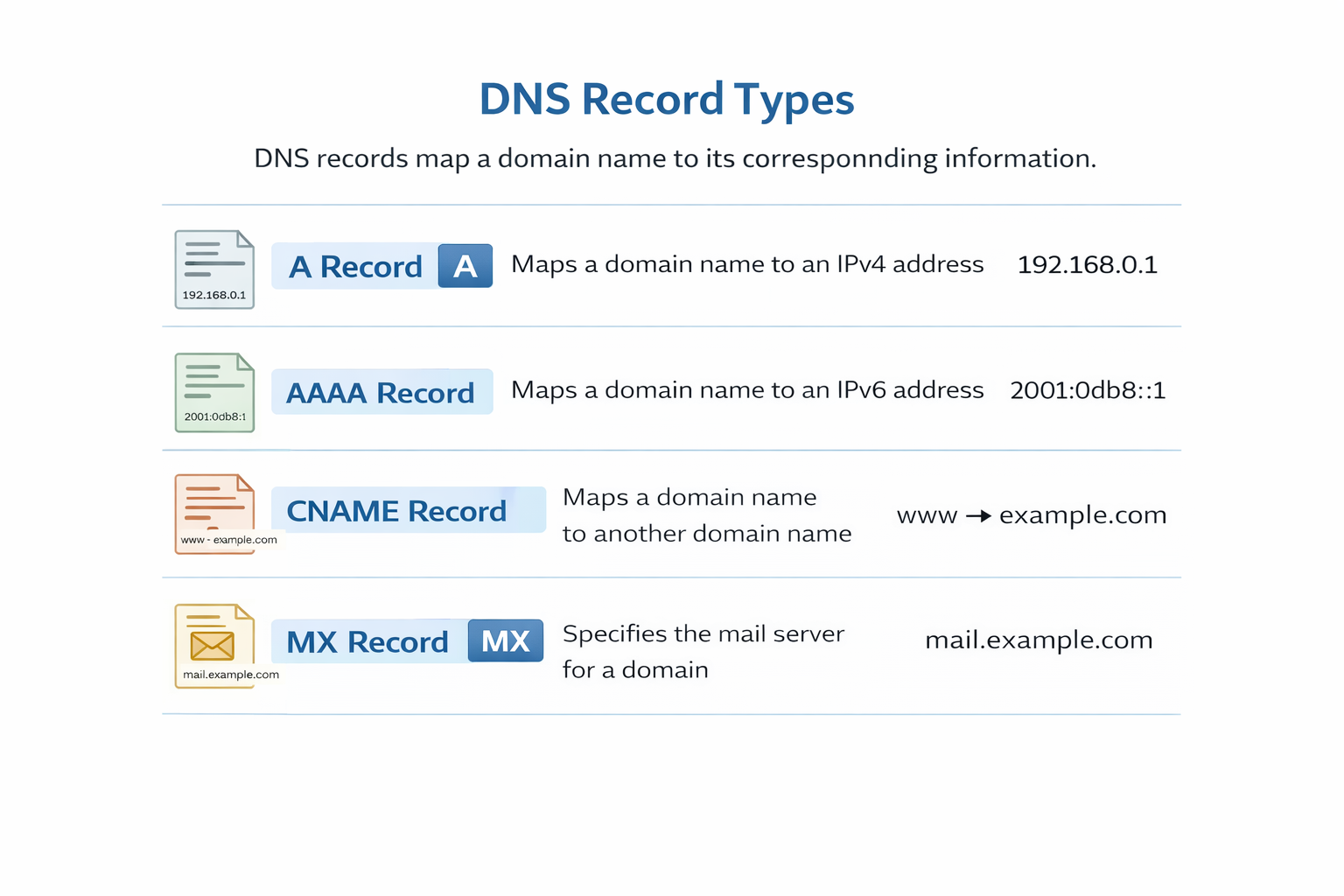
What an A Record is (domain → IPv4 address)
The full form of A Record is address record and it’s main function is to connect a domain name to it’s actual IPv4 address. the main funcation of this record is that when a user types in a domain name. it decides which server with which IP address it should be sent to for example: if my domain is devesh.com and the IP address of my website’s sever is something like 192.168.1.10, them the A record will send the user to this IP address in a real life example : imagine you have a boy nemed ”Rahul ” and you wnat to finf his house you’ll first see his name (Rahul) in the address book , then his house number next to it
Here:
Name: Devesh name
Address : IP Address
This is how the a record maps the domain and IP Address .
if the A record is even accidentally wrong the website will either be redirected to the wrong sever or won’t opne at all.
That’s Why the A record is called the website’s main entry point
What an AAAA record is (domain → IPv6 address)
The function of an AAAA record is to connect a domain name to its IPv6 address. It performs the same function as an A record, except that an
A record uses IPv4 and an AAAA record uses IPv6.
IPv6 is a newer version of IP addresses that are longer, such as: 2001:0db8:85a3:0000:0000:8a2e:0370:7334
For example, if your domain is devesh.com and your server's IPv6 address is something like the one above, the AAAA record
would be:
devesh.com → 2001:0db8:85a3:0000:0000:8a2e:0370:7334
This means that whenever a user opens devesh.com from an IPv6-supported network,
DNS will redirect them to the IPv6 server. In a real-life example, imagine Devesh has two addresses – an old house (IPv4) and a new apartment (IPv6).
The A record takes you to the old house, the AAAA record takes you to the new apartment. The name is the same (Devesh), just the address is different.
And if we look to the future, the number of devices on the internet is increasing, and IPv4 addresses are becoming scarce. Therefore, IPv6 and AAAA records are crucial for the future internet.
What a CNAME Record is (one name pointing to another name)
The full form of a CNAME record is Canonical Name Record. Its main function is to point one domain name to another. This means it is not directly connected to an IP address, but rather to another domain.
For example, suppose your primary domain is devesh.com, and you want www.devesh.com to also open the same website
So you would create a CNAME record: www.devesh.com → devesh.com
This means that when someone opens www.devesh.com, the DNS will first check if it is a CNAME, then go to devesh.com, and from there, following the A or AAAA record, it will send the user to the IP address it finds.
Think of a real-life example:
your name is Devesh, but people also call you Dev.
Dev = alias
Devesh = real name
Whether someone calls it Dev or Desh, the person will remain the same. Exactly like this, the work of CNAME record is to point multiple names to a single real domain.
The advantage of CNAME record is that if you ever change the IP address of the main domain, then you only have to change the record of the original domain, all other CNAME records get automatically corrected.
What an MX Record is (how emails find your mail server)
The full form of an MX record is Mail Exchange Record.The main function of an MX record is to indicate which mail server will receive emails from a domain.In simple terms, when someone sends you an email, the MX record determines which mail server will receive that email.For example, let's say your email address is:
devesh@devesh.comWhen someone emails you, the sender's mail server will ask
DNS:
What is the MX record for devesh.com?
And DNS will say:mail.devesh.com
This means that all emails from devesh.com will be received on the server at mail.devesh.com.
MX records also have a priority, such as:
mail1.devesh.com (priority 10)
mail2.devesh.com (priority 20)
The server with the lower number is tried first.If the primary server is down, email is automatically routed to the backup server.Consider a real-life example:
there's a letter box outside your house.Whenever the postman brings a letter, he puts it directly into that box.
Domain = home address
MX record = location of the letter box
Mail server = place where the letter is depositedIf the MX record is even slightly off, the email will either not be delivered or will be sent to the wrong location. That is why MX record is called the most important part of the email system.
What a TXT Record is (extra information and verification)
The full form of a TXT record is Text Record.The function of a TXT record is to store additional information along with the domain, and it is primarily used for verification.This record contains simple text that can be read by both humans and systems.The most common use of a TXT record is to verify the domain owner.For example, when you add your website to Google, Facebook, or any other service, they say:“Add a TXT record to your DNS.”When you add that record, the service checks it and confirms that the domain is indeed yours and that you are not lying. TXT records are also used in email security, such as:
SPF – Who can send emails
DKIM – Signing emails
DMARC – Blocking fake emails
That's why TXT records are called extra information and verification records.They don't directly open websites, but work in the background to build security and trust.
How all DNS records work together for one website
For example, when a user types the name of a website into their browser, not just one DNS record works to open that website, but several DNS records work together.
The NS record comes first.The NS record indicates which DNS server is responsible for devesh.com.
This means the Internet first knows where to find information about this domain.
After that, the A record and AAAA records are used.
The A record connects the domain to an IPv4 address,and the AAAA record connects the domain to an IPv6 address.
The function of both is to direct the user to the actual web server where the website is hosted.If the website has multiple names, such
as www.devesh.com, blog.devesh.com,
then the CNAME record comes into play.
The CNAME record connects the extra names to the main domain so that the same website opens everywhere.If a user is also using email along with the website,
such asinfo@devesh.com,then the MX record comes into play.The MX record indicates which mail server will receive emails from this domain.And the TXT record works in the background for security and verification.