

Template Literals in JavaScript
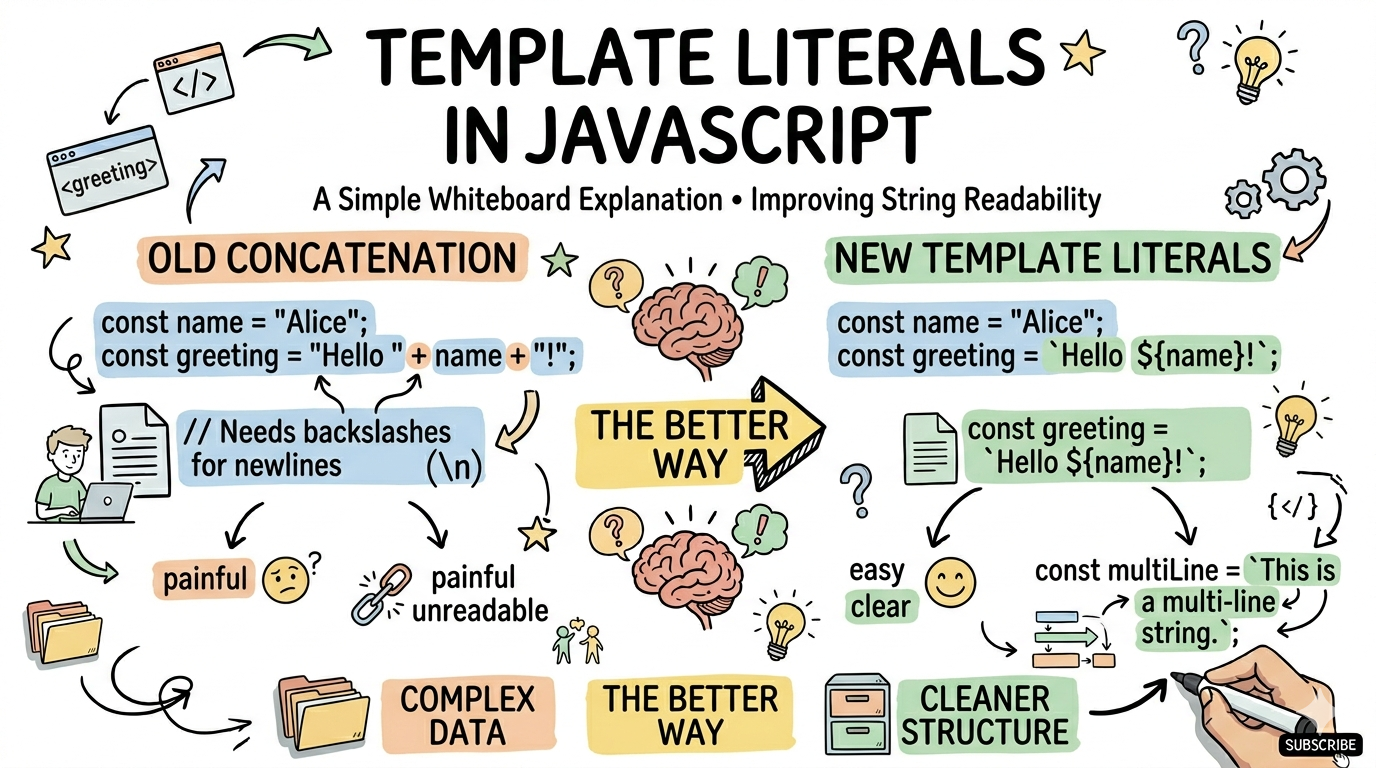
Problems with Traditional String Concatenation
First, understand the problem
Earlier, we used the + operator to combine strings:
let name = "Devesh";
let age = 21;

let msg = "My name is " + name + " and I am " + age + " years old";

console.log(msg);
Problems:
the code looks messy
readability becomes poor
it gets confusing when there are many variables
Example (slightly complex):
let msg = "Hello " + name + ", your age is " + age + " and you are a student";
This does not look clean.
Template Literal Syntax
Template literals use backticks ( ) instead of single or double quotes.
let name = "Devesh";

let msg = `Hello ${name}`;

console.log(msg);
Backticks are important:
` this symbol `
Embedding Variables in Strings
The most powerful feature of template literals is:${variable}
Example:
let name = "Devesh";
let age = 21;

let msg = `My name is \({name} and I am \){age} years old`;

console.log(msg);
Now the code is:
clean
readable
easy to understand
Multi-line Strings
Earlier, writing multi-line strings was difficult:
let text = "Hello\n" +
           "This is line 2\n" +
           "This is line 3";
Very messy 😵
Using Template Literals:
let text = `
Hello
This is line 2
This is line 3
`;

console.log(text);
Clean and readable 🔥
Use Cases in Modern JavaScript
1. Dynamic Messages
let user = "Rahul";

console.log(`Welcome ${user}`);
2. Generating HTML
let name = "Devesh";

let html = `<h1>Hello ${name}</h1>`;
Very common in frontend development.
3. Calculations Inside Strings
let a = 5;
let b = 3;

console.log(`Sum is ${a + b}`);
Output:
Sum is 8
4. Dynamic URLs / API
let id = 101;

let url = `https://api.com/user/${id}`;
Old vs New Comparison
Old Way
let msg = "Hello " + name + " your age is " + age;
New Way
let msg = `Hello \({name} your age is \){age}`;
Why Template Literals Are Better
better readability
fewer errors
easier to maintain
modern JavaScript standard
Real-Life Analogy
Imagine filling a form:
Old way: 👉 Write parts separately and combine them
Template literals: 👉 Create a template and just fill in the values
Final Summary
Template literals are a modern way to write strings
They use backticks ( )
${}is used to insert variables